








Fingerprint Web Browser
A cloud-hosted fingerprint web browser that automatically rotates browser fingerprints, residential IPs, and headers to emulate real users — and bypass even the most advanced anti-bot systems. Run your Puppeteer, Playwright, or Selenium scripts at unlimited scale.

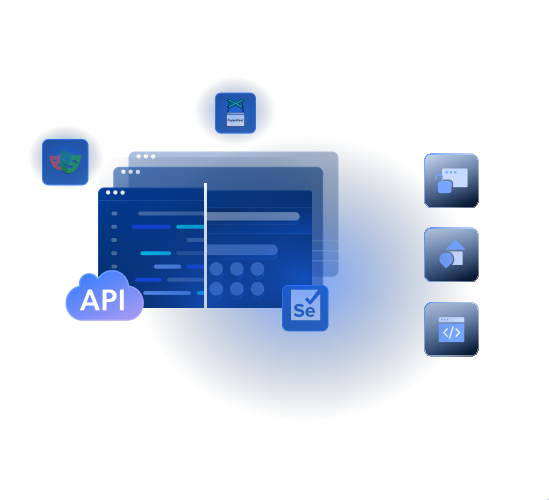
- Auto-scaling infrastructure
- Real-time monitoring with Chrome DevTools
- Worldwide geo & ASN targeting
- Extract data from JavaScript-heavy sites
Confiado por 50,000+ clientes


Cloud-based dynamic scraping
Fingerprint Web Browser is designed for browser-based data collection workflows that require full page rendering, user-like interactions, and advanced unblocking capabilities.

Easy Integration
Connect via Puppeteer, Selenium, or Playwright with a single endpoint change.

Built-in Debugging
Troubleshoot and monitor your scraping sessions using Chrome DevTools in real time.

Fully Managed Browsers
Cloud-hosted browsers with built-in proxy rotation, optimized for large-scale scraping.

                              const pw = require('playwright');

const SBR_CDP = 'wss://brd-customer-CUSTOMER_ID-zone-ZONE_NAME:[email protected]:9222';

async function main() {
    console.log('Connecting to Browser API...');
    const browser = await pw.chromium.connectOverCDP(SBR_CDP);
    try {
        const page = await browser.newPage();
        console.log('Connected! Navigating to https://example.com...');
        await page.goto('https://example.com');
        console.log('Navigated! Scraping page content...');
        const html = await page.content();
        console.log(html);
    } finally {
        await browser.close();
    }
}

main().catch(err => {
    console.error(err.stack || err);
    process.exit(1);
});
                              import asyncio
from playwright.async_api import async_playwright

SBR_WS_CDP = 'wss://brd-customer-CUSTOMER_ID-zone-ZONE_NAME:[email protected]:9222'

async def run(pw):
    print('Connecting to Browser API...')
    browser = await pw.chromium.connect_over_cdp(SBR_WS_CDP)
    try:
        page = await browser.new_page()
        print('Connected! Navigating to https://example.com...')
        await page.goto('https://example.com')
        print('Navigated! Scraping page content...')
        html = await page.content()
        print(html)
    finally:
        await browser.close()

async def main():
    async with async_playwright() as playwright:
        await run(playwright)

if __name__ == '__main__':
    asyncio.run(main())
                              const puppeteer = require('puppeteer-core');

const SBR_WS_ENDPOINT = 'wss://brd-customer-CUSTOMER_ID-zone-ZONE_NAME:[email protected]:9222';

async function main() {
    console.log('Connecting to Browser API...');
    const browser = await puppeteer.connect({
        browserWSEndpoint: SBR_WS_ENDPOINT,
    });
    try {
        const page = await browser.newPage();
        console.log('Connected! Navigating to https://example.com...');
        await page.goto('https://example.com');
        console.log('Navigated! Scraping page content...');
        const html = await page.content();
        console.log(html)
    } finally {
        await browser.close();
    }
}

main().catch(err => {
    console.error(err.stack || err);
    process.exit(1);
});
                              const { Builder, Browser } = require('selenium-webdriver');

const SBR_WEBDRIVER = 'https://brd-customer-CUSTOMER_ID-zone-ZONE_NAME:[email protected]:9515';

async function main() {
    console.log('Connecting to Browser API...');
    const driver = await new Builder()
        .forBrowser(Browser.CHROME)
        .usingServer(SBR_WEBDRIVER)
        .build();
    try {
        console.log('Connected! Navigating to https://example.com...');
        await driver.get('https://example.com');
        console.log('Navigated! Scraping page content...');
        const html = await driver.getPageSource();
        console.log(html);
    } finally {
        driver.quit();
    }
}

main().catch(err => {
    console.error(err.stack || err);
    process.exit(1);
});
                              from selenium.webdriver import Remote, ChromeOptions
from selenium.webdriver.chromium.remote_connection import ChromiumRemoteConnection

SBR_WEBDRIVER = 'https://brd-customer-CUSTOMER_ID-zone-ZONE_NAME:[email protected]:9515'

def main():
    print('Connecting to Browser API...')
    sbr_connection = ChromiumRemoteConnection(SBR_WEBDRIVER, 'goog', 'chrome')
    with Remote(sbr_connection, options=ChromeOptions()) as driver:
        print('Connected! Navigating to https://example.com...')
        driver.get('https://example.com')
        print('Navigated! Scraping page content...')
        html = driver.page_source
        print(html)

if __name__ == '__main__':
    main()
Tap into autonomous unlocking

Toma de huellas digitales del navegador
Emula los navegadores de usuarios reales para simular una experiencia humana

Resolución de CAPTCHA
Analiza y resuelve los CAPTCHA y las pruebas de desafío-respuesta

Gestiona agentes de usuario específicos
Imita automáticamente diferentes tipos de navegadores y dispositivos

Establece los encabezados de referencia
Simula el tráfico que se origina en sitios web populares o de confianza

Gestiona las cookies
Evita posibles bloqueos impuestos por factores relacionados con las cookies

Realiza reintentos y rota las IP automáticamente
Reintenta continuamente las solicitudes y rota las IP en segundo plano

Geocobertura mundial
Accede a contenido geolocalizado desde cualquier país, ciudad, estado o ASN

Representación de JavaScript
Extrae datos de sitios web que se basan en elementos dinámicos

Validaciones de integridad de datos
Garantiza la precisión, la coherencia y la fiabilidad de los datos
Fingerprint Web Browser Pricing


- Gestor de contas
- Pacotes sob medida
- SLA Premium
- Suporte prioritário
- Onboarding personalizado
- SSO
- Personalizações
- Logs de auditoria

Pagar con el AWS Marketplace
Optimice los pagos con el AWS Marketplace, mejorando la eficiencia de aprovisionamiento y facturación. Utilice los compromisos existentes con AWS y aproveche las promociones de AWS.

Benefits of Fingerprint Web Browser

Cut infrastructure overheads
Set-up and auto-scale browser environment via a single API, offering unlimited concurrent sessions and workloads for continuous scraping

Increase success rates
Stop building unlocking patches and future-proof access to any public web data through built-in unlocker and a hyper-extensive residential IP pool

Boost developer productivity
Make your devs ‘laser-focused’ on what matters by running your existing scripts in a hybrid cloud with just one line of code, freeing them from the hassle of scraping operations
Impulsado por una red de proxies galardonada
400M+ monthly IPs de Proxy, tecnología de primer nivel y la capacidad de apuntar a cualquier país, ciudad, código postal, operador y ASN hacen de nuestros servicios de Proxy premium una opción líder para desarrolladores.

Power your most complex workflows
Agent interaction
- Enable agentic task automations
- Fill forms, search, and more
- Quick start with low latency
- Ensure secure, isolated sessions
Stealth browsing
- Use geolocation proxies
- Human-like fingerprinting
- Automatically solve CAPTCHAs
- Manage cookies & session
AI-ready data pipeline
- Discover relevant data sources
- Real-time or batch collection
- Structured or unstructured output
- Integrate seamlessly via MCP
Auto-scale browser infrastructure
Connect your interactive, multi-step scraping scripts into a hybrid browser environment, offering unlimited concurrent sessions using a single line of code

Chrome DevTools compatible
Use Chrome DevTools debugger to seamlessly monitor and troubleshoot your Browser API performance
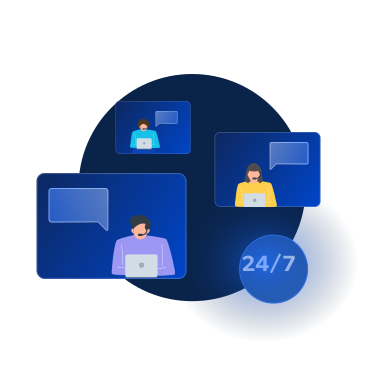
24/7 support
Get round-the-clock expert support, resolve issues quickly, and assure quality data delivery. Gain real-time visibility into network status for full transparency
Bright Data Powers the World's Top Brands
Bright Data allows Autonomous AI agents to navigate websites, find information and perform actions automatically in a simple to integrate, consistent and reliable environment
 La infraestructura del navegador de Bright Data ayuda a escalar nuestros agentes de IA para tareas complejas. Nos permite centrarnos en ofrecer un valor real a nuestros clientes en lugar de lidiar con la infraestructura del navegador.
 Devi ParikhYutori, Co-Founder


FAQ
What is a fingerprint web browser?
A fingerprint web browser is a web browser that controls and randomizes the unique identifiers (User-Agent, canvas, WebGL, TLS, fonts, timezone, etc.) that websites use to detect automated traffic. Bright Data's Fingerprint Web Browser does this automatically in the cloud.
How is this fingerprint web browser different from Multilogin, AdsPower, or Kameleo?
Those are desktop applications that you install and manage locally. Bright Data's Fingerprint Web Browser is a fully managed cloud service with built-in residential proxies, CAPTCHA solving, and unlimited concurrent sessions — all controllable via Puppeteer/Playwright/Selenium.
Does it work with Puppeteer, Playwright, and Selenium?
Yes. The Browser API integrates seamlessly with standard browser automation tools, including Puppeteer, Playwright, and Selenium.
Can I keep the same IP across multiple requests?
The Browser API supports maintaining IP address across multiple browser sessions using a custom CDP function. This allows you to reuse the same proxy peer for consecutive requests by associating them with the same session ID.
Is logging into accounts supported?
Bright Data is committed to collecting only publicly available data. To uphold this commitment, Browser API is configured by default to prevent any attempts to log in to accounts by disabling password entry. Exceptions require completing the KYC process.
Is this fingerprint web browser headless or headful?
Bright Data's Fingerprint Web Browser is a real GUI ("headful") web browser running on our cloud infrastructure — making it far harder for bot-detection systems to identify than headless Chrome.
How is pricing calculated?
You're billed only for the gigabytes of traffic transferred through the fingerprint web browser. There is no charge for instance time, concurrent sessions, or browser uptime.